Landscape Photography 101: The Real Beginner’s Guide (2026)
Shut Your Aperture — Updated June 2026 — Some links are affiliate links; we only recommend gear we actually own.
These ideas land harder once you’ve internalized the basics in our landscape photography guide.
5:02 a.m. at Schwabacher’s Landing
The GPS loses the road about a quarter-mile before the parking area. You’re running on directions you scribbled the night before, a coffee that’s already cold, and the vague dread that you left your remote shutter on the kitchen counter. The gravel lot is dark. Two other cars. You grab the bag, the tripod, the filter pouch, and you walk the path by headlamp because you scouted it yesterday afternoon and you know roughly where the first good bend in the Snake River sits.
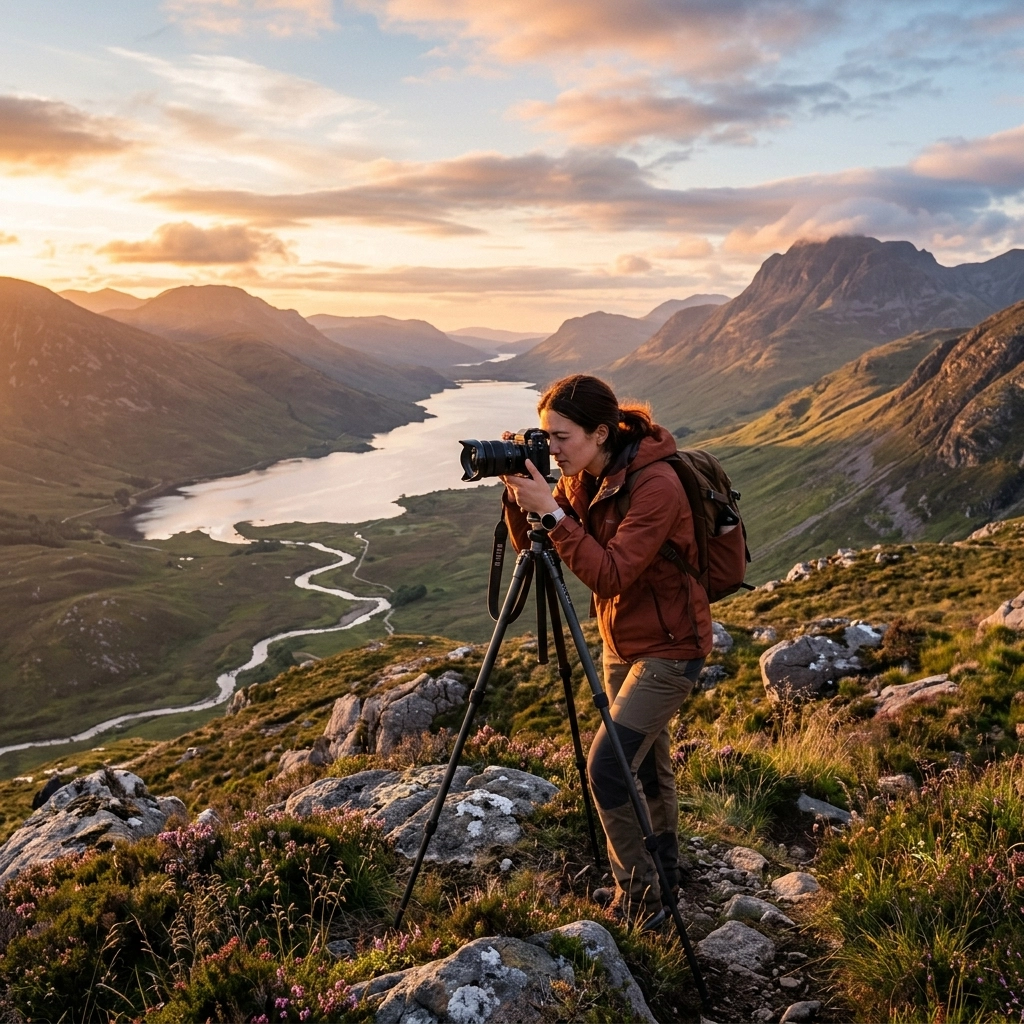
The sky is still charcoal. The Tetons are a silhouette. You find a foreground: a cluster of yellow cottonwood leaves floating near a calm pool that reflects the ridgeline. You’re there 38 minutes before sunrise, which means you have time to set up, level the tripod on the uneven bank, dial in a composition without rushing, and wait. That wait — that still, cold, stupid-early wait — is where landscape photography actually begins.
No filter tutorial or composition rule matters if you’re not standing in the right place at the right time. That’s the uncomfortable truth this guide starts with. Everything else is craft that makes the most of the light when you finally get there.
The four light windows that actually matter
Photographers talk about “golden hour” like it’s the whole game. It’s not. There are four distinct light states worth understanding, and each one produces a completely different image from the same location.
Predawn blue (roughly 45 to 20 minutes before sunrise)
The sky glows an even, diffuse blue — no harsh shadows, no blown highlights. Foreground and sky can sit in the same exposure latitude without a filter. Colors are muted and cool. This is the window for long exposures of moving water, for capturing city lights reflected in landscape, for a clean atmospheric image with no drama but a lot of mood. At Bryce Canyon in summer, this window opens around 5:10 a.m. In winter at higher elevations it can feel almost purple. You need a tripod here; you’re shooting 15 to 45 seconds at ISO 100.
Civil twilight into golden (roughly 20 minutes before sunrise to 45 minutes after)
This is the window everyone races to catch, and for good reason. The sun is low, raking light across texture — rock faces, grasses, water, snow. Shadows are long and directional. Color temperature sits between 2,500K and 4,500K depending on cloud cover and atmospheric haze. Exposures drop dramatically: by the time the sun clears the horizon you’re probably at 1/100 at f/8 at ISO 200. Scenes shift every four or five minutes. Don’t move the tripod to chase something prettier; commit to the composition you scouted and work it.
Midday (to be avoided, or used deliberately)
Overhead sun blows highlights on water, flattens rock texture, and squints everything into harshness. The exception: overcast midday, where the cloud layer acts as a massive softbox. Waterfalls, forest floors, and tide pools all respond well. Midday is also your scouting time — read below.
Post-sunset color (roughly 10 to 35 minutes after sunset)
The sun is gone, but the sky often does something unexpected. The warm pinks and magentas of the afterglow appear above the western horizon while the eastern sky turns deep blue. This window lasts maybe 15 minutes and it’s easy to miss because most photographers are already packing up. Stay. Shoot. The light on the landscape itself is dim but even; you’ll need the tripod again and ISO 400 to 800 is reasonable. This is where Mesa Arch sometimes shows its strangest, most saturated orange underside — not at sunrise itself, but in the minutes after civil twilight ends.
Predawn blue: SR −45 to SR −20
Golden window: SR −20 to SR +45
Flat midday: avoid unless overcast
Post-sunset color: SS +10 to SS +35
Reading light direction
Before you set up the tripod, spend 60 seconds thinking about where the light is coming from and what that does to your subject. Direction changes everything.
Front light (sun behind you)
Flat, even illumination. Colors saturate nicely. Texture disappears. Good for capturing color in a reflective lake or in a wildflower meadow where you want the petals bright, not shadowed. Boring for rock formations. Safe, not dynamic.
Side light (sun 45 to 90 degrees from your shooting axis)
This is what most landscape photographers spend their lives chasing. Raking side light reveals texture in sandstone, separates ridgelines, and makes grasses glow. It also creates long shadows that add depth to an otherwise flat scene. At Bryce Canyon, side light turns the hoodoos from orange blobs into carved, three-dimensional structures.
Back light (shooting into the sun or toward a bright sky)
High contrast, high risk. Water and leaves and ice crystals go translucent and luminous. Silhouettes become graphic. You’ll fight flare and a massive dynamic range gap, and you may need a graduated ND filter or exposure blending in post. But the results — a backlit aspen grove in October, a rim-lit desert arch — are worth the headache.
Top light (sun near zenith)
Almost never useful for landscapes. The shadows drop straight down, texture disappears, and skies bleach out. The main use case is tide pool photography where overhead light penetrates shallow water.
The exposure approach for landscapes
Manual mode. Full stop. Auto and aperture-priority can hunt and shift between frames, which means your sunrise sequence doesn’t stitch cleanly and your bracketed set doesn’t bracket where you intended. Learn manual and you’ll stop fighting your camera at critical moments.
Here’s the basic starting framework:
| Condition | Aperture | ISO | Shutter |
|---|---|---|---|
| Predawn blue (tripod) | f/8 | 100 | 15–45s |
| Golden hour (tripod) | f/8–f/11 | 100–200 | 1/15–1/200s |
| Overcast midday | f/8 | 100–400 | 1/30–1/500s |
| Post-sunset color | f/5.6–f/8 | 400–800 | 5–30s |
A few specifics:
Base ISO first. Always start at your camera’s native base ISO (usually 100 or 64). Raise ISO only when you’ve maxed shutter speed or when you need to freeze motion the scene calls for. Landscape photography almost never requires ISO above 800 on a tripod.
Aperture around f/8 to f/11. Most lenses hit peak sharpness in this range — not fully wide, not fully stopped down. At f/16 or f/22 you’re trading aperture diffraction for a marginal depth of field gain that focus stacking handles better anyway. Understand how aperture affects sharpness and depth of field before you start chasing f/22 for every shot.
Two-second timer or remote shutter. Camera shake from pressing the shutter button ruins more landscape images than bad light does. Use the two-second self-timer at minimum. A wired or wireless intervalometer remote is cleaner and lets you shoot bulb exposures without touching the camera. Get one; they’re cheap.
Mirror lockup or electronic first-curtain shutter (EFCS). On cameras with a mirror, lockup eliminates the micro-vibration from the mirror slap at mid-range shutter speeds (roughly 1/15 to 1 second) where the shake is worst. Mirrorless shooters should enable EFCS for the same reason — the mechanical second curtain still causes some vibration on long exposures that EFCS eliminates.
Check your histogram, not your LCD brightness. A screen looks different in the dark at 5 a.m. than it does in daylight. If the histogram is piled against the right edge, you’re clipping highlights. Pull back exposure until the right shoulder drops away from the wall.
Shutter speed controls how motion reads in the frame — silky water versus frozen splash, star trails versus sharp stars. Understanding how shutter speed works in the full exposure triangle context will save you a lot of guesswork in the field.
Composition — building depth, not just framing a view
The most common beginner landscape image: tripod at eye level, horizon in the middle of the frame, empty foreground, interesting distant thing. It looks like a snapshot from a scenic overlook because that’s exactly what it is. The fix isn’t a filter or a better lens. It’s getting closer to something in the foreground and building depth into the frame.
The foreground anchor
Every strong landscape has a foreground element that pulls the viewer into the scene before the eye travels to the background. At Schwabacher’s Landing it’s the oxbow reflection. At the Oregon coast it might be a bed of exposed anemones at low tide, or a spray-soaked rock, or a kelp-draped boulder. Get close. Wide-angle lenses exaggerate distance between near and far, so a foreground element three feet from your lens can feel a mile apart from the Tetons behind it. That’s a feature, not a bug.
Leading lines
Rivers, roads, fence lines, rock ledges, shorelines. Lines that start near the bottom edge of the frame and move toward the background create a natural path for the eye. They don’t need to point at your main subject directly — they just need to move the eye into the frame rather than out of it.
Depth layers
Foreground, mid-ground, background. Three planes. When all three are occupied, the image has dimension. The mid-ground is the layer most beginners skip. It might be a band of wildflowers, a stand of trees, a ridgeline, or a patch of fog. It separates the foreground anchor from the distant background and prevents the image from reading as two separate things pasted together.
The rule of odds and point of balance
Three trees read better than two. Five boulders read better than four. This is the rule of odds, and while it’s not law, it’s a useful gut check. More practically: avoid dead-center placement of your main subject in most cases. Use the lower third for horizons when the sky is interesting. Use the upper third when foreground detail dominates. Let the subject breathe toward open space in the frame, not toward the edge.
A note on aspect ratio
Most people shoot 3:2 and crop to whatever looks good in Lightroom. That’s fine. But before you move the tripod or change lenses, consider whether the scene calls for a panoramic crop (long and narrow, great for wide river valleys and ridgelines) or something close to square (works well when you have a strong central reflection or a symmetrical subject). Crop in-camera by zooming or by thinking about what you’re actually including.
Filters that earn their spot in the bag
The filter market is full of gear that looks useful in YouTube videos and collects dust in actual bags. Here’s what actually matters for landscape work and why.
Circular polarizer (CPL)
A polarizer cuts glare and reflections from non-metallic surfaces and deepens blue sky contrast when the sun is roughly 90 degrees to your shooting axis. It also saturates foliage by cutting the waxy surface glare that washes out greens. The tradeoff: you lose about 1.5 to 2 stops of light.
When to use it: shooting across a lake or river where you want to see through the surface to the rocks below. Shooting forest scenes where glare is washing out the leaves. Shooting a blue sky with clouds at 90 degrees to the sun.
When to skip it: shooting directly into the sun or backlit scenes (the polarizer does nothing useful and adds a stop of light loss). Shooting wide panoramas where the sky polarization effect will be uneven across the frame. Shooting at very wide angles (14-16mm) where polarization darkens the sky unevenly, creating a banded look.
6-stop and 10-stop ND filters
Neutral density filters block light, letting you use longer shutter speeds in bright conditions. A quality 6-stop ND filter turns a 1/100s midday waterfall exposure into a 0.64-second silky-water shot. A 10-stop turns midday into a 10-second cloud-streak exposure. The key word is quality — cheap ND glass introduces color casts that fight you in post. Invest in glass with good coatings.
Screw-in NDs work fine for a single filter diameter. If you shoot multiple lens sizes, a square filter system (100mm or 150mm) with step-down adapters is more practical.
Graduated ND (GND)
A graduated ND is dark on one half and clear on the other, designed to balance a bright sky against a darker foreground. Before the era of exposure blending in Lightroom and Photoshop, a hard-edge GND was essential for landscape work. It’s still useful — in the field it saves you from bracketing and blending later, and on a rectangular filter system you can position the transition precisely. But if your horizon is irregular (trees, mountains, buildings breaking into the sky), a hard-edge GND creates dark patches where the filter covers the bright parts of the foreground. In that case, exposure blending in post is cleaner.
A 3-stop soft-edge GND is the most versatile starting point if you’re buying your first one.
Focus stacking basics
Wide-angle lenses at close focus distances run out of depth of field before the background is sharp, even at f/11. The classic solution was to stop down to f/16 or f/22, but diffraction makes lenses progressively softer past their sharpness sweet spot. Focus stacking solves this cleanly: take two or three frames at f/8, each focused at a different distance, and blend them in Lightroom or Photoshop to get front-to-back sharpness without diffraction penalties.
The basic field technique:
- Set up the shot normally. Lock the tripod. Do not touch it between frames.
- Frame 1: Focus manually on the nearest foreground element (usually 1 to 3 feet from the lens).
- Frame 2: Focus on the mid-distance (the point roughly a third of the way into the scene).
- Frame 3: Focus on infinity (the far background — mountains, horizon, sky).
- In Lightroom, select all three and use Photo Merge > HDR (if also bracketing) or go straight to Photoshop via Edit In > Open as Layers, then Edit > Auto-Align Layers, then Edit > Auto-Blend Layers > Stack Images.
Three frames cover most scenes. Close-up macro foregrounds might need four or five. Moving scenes (waves, wind-blown grass) don’t stack cleanly — use a faster shutter and accept the depth of field you have, or composite strategically.
Focus stacking sounds fussy but it becomes second nature after a few outings. The gain in corner sharpness on close foreground elements is immediately visible.
Field workflow: scout in daylight, blue hour, golden hour
The photographers who consistently make strong landscape images are almost never improvising in the dark. Their good luck is hours of unglamorous prep. Here’s the workflow that actually works:
Scout in daylight (the day before, or earlier the same day)
Walk the location in full sun. Ugly light for shooting, ideal for planning. Find your foreground elements. Note where the shadows fall and which direction is east. Use Google Maps satellite view and a sun direction app (PhotoPills or The Photographer’s Ephemeris) to confirm where the sun will rise or set relative to your frame. Check the path from parking to the shoot spot and time how long it takes. Note the footing — a rocky creek bank that’s tricky in daylight is genuinely hazardous at 5 a.m. with a tripod.
Blue hour arrival
Be at your scouted position 40 to 45 minutes before sunrise. Set up in the dark. Use your headlamp sparingly — let your eyes adjust to the predawn blue so you can actually see the scene. Shoot the blue light window for texture-free, moody long exposures. Keep the composition locked and start reviewing as the sky brightens.
Work the golden window without chasing
The biggest beginner mistake during sunrise: seeing better light happening somewhere else and abandoning the tripod to chase it. You’ll miss both. Commit to the composition you scouted. The light changes every few minutes; work the same frame in different conditions rather than running for a different frame in the same conditions. Bracket exposure as the scene brightens. Rotate between shooting and reviewing histogram.
Return at sunset
If the same location is worth shooting at sunrise, it’s probably worth visiting at sunset — or the reverse. The angle of light is mirrored (west instead of east) and the color palette often runs warmer. Shoot through the post-sunset window before packing up.
The gear minimum you actually need
You don’t need a full system to shoot landscapes. You need a stable camera, a good wide lens, a mid-range zoom for compressed compositions, and something to keep the camera still. That’s it.
The actual minimum kit
- Body: Any mirrorless or DSLR with manual mode, RAW capture, and a sensor produced in the last 8 years. Dynamic range matters more than megapixels. Sony A7 series, Fuji X-T series, Nikon Z series, Canon R series — all capable. Your phone is not a substitute for tripod landscape work, but it’s fine for scouting composition.
- Wide-angle lens: Something covering 16-24mm equivalent (full-frame) or 10-16mm on APS-C. The Sony 16-35mm f/2.8 GM II is exceptional for Sony mirrorless shooters. Third-party options from Sigma and Tamron cover most mounts at lower price points. Maximum aperture matters less for landscape (you’re shooting f/8) than corner sharpness does.
- Mid-range zoom: A 24-70 or 24-105 equivalent. Used for compressed mid-range landscapes — mountain ridges, isolated trees, telephoto compression of distant light on water. Not essential at first; add it after the wide.
- Tripod: The most underestimated landscape tool. A flimsy tripod is worse than no tripod — the vibration from an unstable head ruins long exposures. The Peak Design Travel Tripod is a genuine field tool: folds compact enough for serious hiking, opens to a usable height, and the ball head is smooth and lockable. It’s not cheap, but it’s the last tripod most landscape photographers buy.
- Remote shutter / intervalometer: A basic wired or wireless remote eliminates camera shake from button press and enables bulb exposures. Get one before your first serious shoot.
That’s five items. Everything else — extra filters, specialized lenses, focus rail for macro stacking, a second body — comes after you’ve put real hours into that foundation kit.
ISO behavior and high-ISO noise are worth understanding before you push your camera in low light. Read how ISO affects image quality to avoid surprises at post-sunset light levels.
Weather and conditions — when boring days become great shots
The light doesn’t need to be perfect to make a strong image. Often the opposite is true.
Clouds
A clear blue sky is the least interesting landscape sky. Clouds add texture, drama, and movement. Partial cloud cover during golden hour produces the best light: the sun lights the clouds from below, the clouds scatter warm color across the scene, and you get side light plus fill simultaneously. Full cloud cover softens everything and can be beautiful for waterfalls, forests, and coastal scenes where even, shadowless light reveals detail. The problem exposure is partial cover with harsh gaps — the scene flickers between overexposed and underexposed every few seconds. Bracket wide and sort it out in post.
Fog and mist
Ground fog is one of the most underrated landscape conditions. It happens in valleys on calm nights after warm days, usually in early morning before the sun burns it off. It flattens midground detail into layered silhouettes. It creates separation between trees and hills that’s otherwise invisible. If you check the forecast and see calm overnight temperatures with morning lows above the dew point, go check your valley location. It won’t always deliver, but when it does, nothing else looks like it.
Storm light
The 30 minutes after a thunderstorm passes can produce the most saturated landscape light of the year. The rain washes particulates from the air, the clouds are still dramatic overhead, and if the sun breaks through before the storm fully clears, you get that combination of warm light and dark clouds that makes everything look charged. Watch radar and be safe about lightning — but when the storm clears, get out immediately.
Snow and frost
Fresh snow simplifies a scene, covering chaotic foreground elements with a clean white layer that isolates the shapes you do want. The reflectivity of snow also fills shadow areas with soft light, reducing dynamic range. Cold temperatures affect camera batteries — carry a spare inside your jacket. Morning frost on leaves and rocks is a macro opportunity that most landscape photographers walk past.
Post-processing baseline
Post-processing landscape images is its own skill set, but there’s a baseline workflow that applies to almost every RAW file from a landscape session. This section isn’t a full Lightroom tutorial — it’s the five things that matter most.
Exposure and white balance first
Set white balance before anything else. Daylight (5500K) is a starting point for golden hour. Drop toward 4200-4500K for blue hour. Then adjust exposure so your histogram uses the full range without clipping highlights.
Recover and protect highlights
In Lightroom, pull Highlights down to −70 or −80 as a starting move on bright sky images. Check the histogram for right-edge clipping. If sky detail is clipped, try a radial or graduated mask over the sky with additional Highlights recovery and Exposure reduction. A well-exposed RAW file from most modern sensors can recover 2 to 3 stops of highlight detail.
Luminosity masks for selective adjustments
A luminosity mask selects pixels by brightness value — it’s the most powerful tool for landscape editing because it lets you target exactly “the bright sky but not the bright sand” without drawing a manual selection. In Lightroom, the Masking panel’s Luminance Range selector does this. In Photoshop, Channels give you more precision. The basic workflow: create a mask targeting bright luminosity values, apply Highlights reduction and slight cooling to the sky layer. Create a second mask targeting midtone and shadow luminosity, apply warmth and shadow lifting to the foreground. Done right, the edit looks completely natural.
Dodge and burn
Dodge (brighten) areas that should draw the eye — the foreground anchor element, the main lit surface. Burn (darken) corners, distracting bright patches, or sky areas that compete with the subject. The goal is to guide the viewer’s eye through the image, not to make the edit visible. Use a soft brush at 3-5% opacity and build up gradually.
Sharpening and noise last
Sharpen at export, not during editing. In Lightroom’s Detail panel: Sharpening Amount around 60-80, Radius 1.0-1.2, Masking held at 40-60 (hold Alt/Option while dragging to see the mask). Noise reduction as needed — base ISO RAW files need very little. Check at 1:1 view.
For presets that get you most of the way to a finished landscape edit without overcooking colors, the Lightroom presets guide covers what’s worth using and what to avoid.
FAQ
Do I need a full-frame camera to shoot landscapes?
No. APS-C and Micro Four Thirds sensors from the last five years are capable of excellent landscape work. Full-frame sensors have more dynamic range and better high-ISO performance, which matters in post-sunset and low-light shooting, but the difference is genuinely marginal at base ISO in good light. The lens quality and tripod stability matter more than the sensor size for most beginner landscape work.
What’s the best aperture for landscape photography?
Somewhere between f/8 and f/11 on most lenses gives you the sharpest results, covering the sweet spot between diffraction (at f/16+) and aberrations (wide open). If depth of field doesn’t reach from foreground to background at f/11, shoot a focus stack instead of stopping down further. Read the full breakdown of aperture and depth of field if you want the optical explanation.
How do I avoid blurry landscape photos on a tripod?
Four common causes: 1) Camera touching the tripod during exposure — use self-timer or remote shutter. 2) Tripod head not locked — check every time. 3) Center column extended in wind — shoot with the center column down and legs spread. 4) Mirror slap or electronic shutter vibration — use mirror lockup or EFCS. Fix those four and blurry tripod shots disappear.
When should I use HDR versus exposure blending versus a GND filter?
A graduated ND filter works best when the horizon is clean and flat — ocean horizon, flat desert, open plain. Exposure blending (manually merging two or more exposures in Lightroom or Photoshop) works better when the horizon is irregular — mountains, trees, buildings breaking into the sky. Auto-HDR from Lightroom or camera-processed HDR tends to produce halos and artificial-looking results for landscape; manual blending with luminosity masks is more reliable. Use the filter in the field when you want to nail exposure without post-processing time.
How do I find good landscape locations?
Google Maps satellite view, Instagram location tags (search the location name, not the hashtag), Flickr’s map view for a location, and Gaia GPS for topography. PhotoPills and The Photographer’s Ephemeris both show sun and moon angle, rise/set position on the map, and golden hour timing for any location on any date. For national parks, the park’s own website usually has a photo gallery that shows which viewpoints are most popular — then you figure out where to go for the less-photographed version of the same light.
Is shoot RAW really that important for landscapes?
For landscape, more than almost any other genre, yes. The dynamic range difference between a compressed JPEG and a RAW file is 2 to 3 stops in the highlights alone. That’s the difference between a sky with detail and a blown-out white void. The file size is larger but storage is cheap and the editing latitude is not recoverable after the fact. Shoot RAW, always, for landscape work. Understanding how ISO and capture format interact explains why this matters at a technical level.
About this guide: Written by the team at Shut Your Aperture based on field experience at locations including Schwabacher’s Landing, Mesa Arch, Bryce Canyon, and the Oregon coast. Affiliate links appear in the gear section; they cost you nothing extra and help keep this site running. Last updated June 2026.